*Please note: this does not cancel your subscription. To do that, please visit:
Data Sources
Uninstalling the Datawarehouse.io app from HubSpot
-
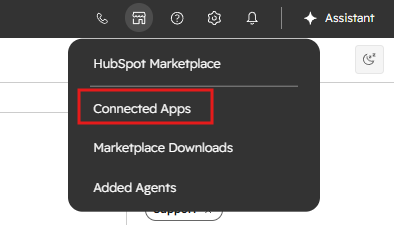
Open up the HubSpot portal that you have installed the app in. In the top-right section of your HubSpot page, click on the house icon to expose the HubSpot Marketplace drop down menu. Click on the Connected apps link.
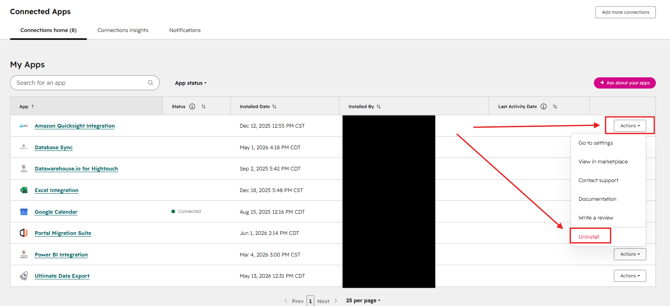
- This will take you to the Connected Apps page in your HubSpot portal settings. From here, just locate the Datawarehouse.io app that you wish to uninstall. Then, click on the Actions button for the selected app and click Uninstall. From there, simply follow the deletion prompt to successfully uninstall the app.
- Please note that uninstalling the app will prevent our platform from communicating with your HubSpot account.
Uninstalling the Datawarehouse.io app from Google Ads
-
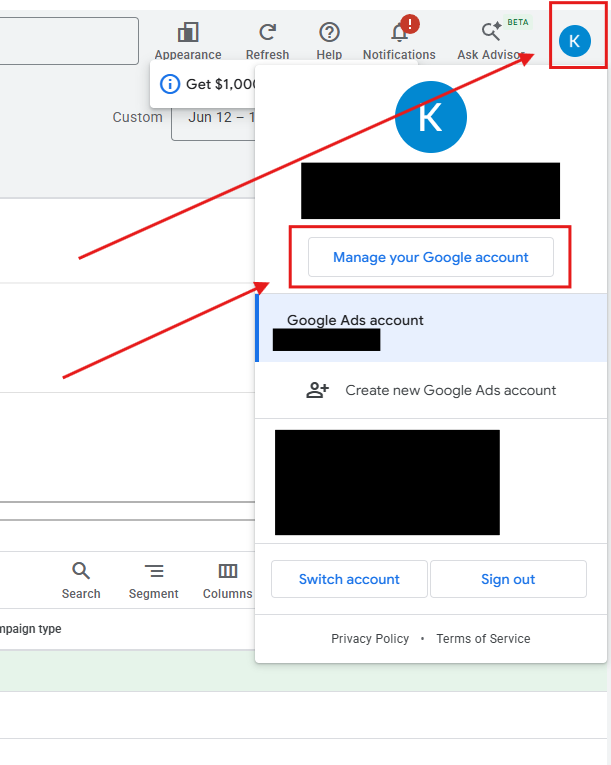
Open up your Google Ads account and navigate to the dropdown menu located at the top-right corner of the window and then click on Manage your Google account. This will take you to your main Google settings page.
- Once here, navigate to and click on the Linked Apps tab.
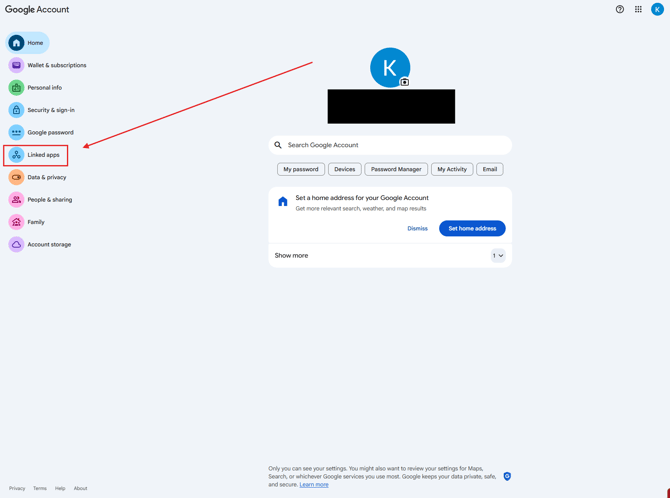
- From there, locate and click on the Datawarehouse.io app you wish to remove from your Google account.
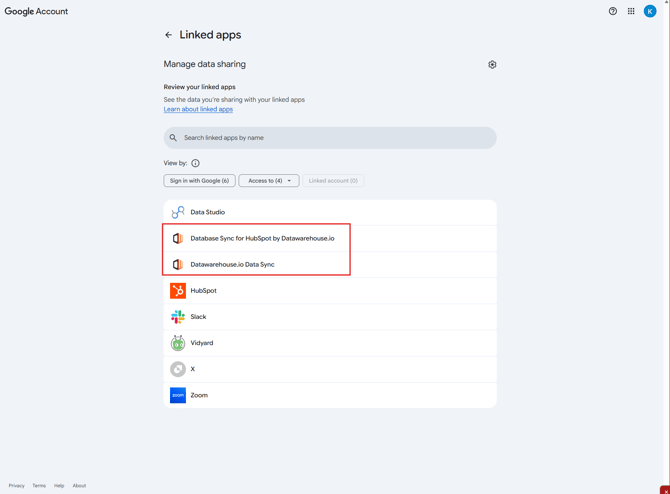
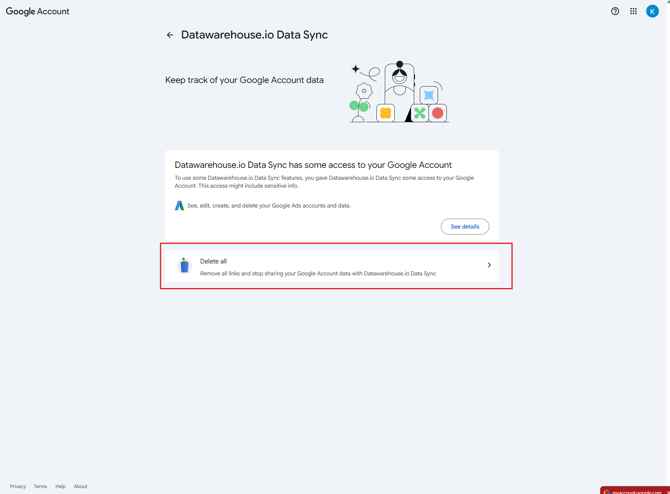
- At this point, you would select Delete all and then confirm the deletion of the app from your Google account.
Uninstalling the Datawarehouse.io app from LinkedIn Ads
-
Open to your main LinkedIn profile page and then navigate to the Me dropdown menu icon and then click on Settings & Privacy.
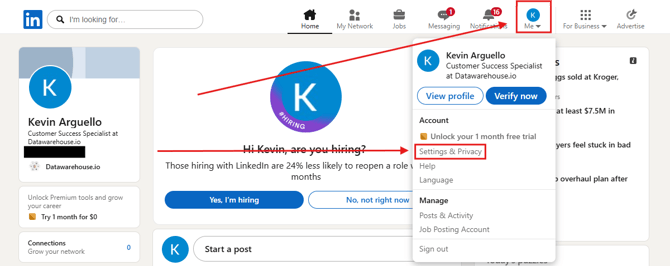
- From there you will click on the Data Privacy tab.
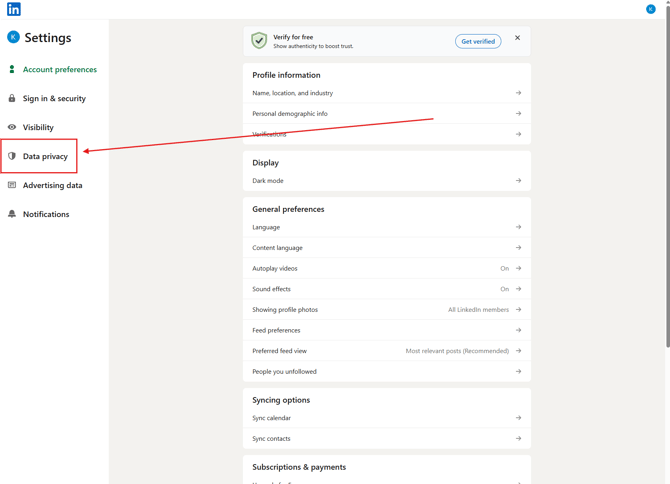
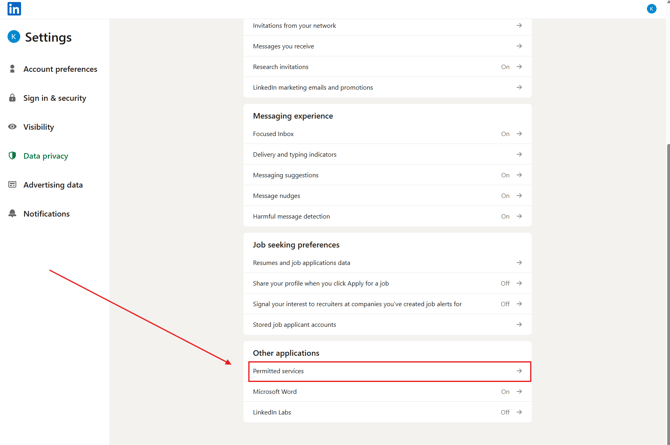
- Once in your Data Privacy settings, scroll down until you locate Permitted services under the Other applications section and then click on it.
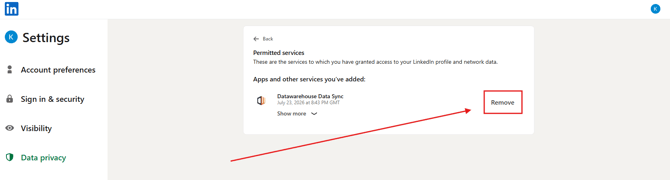
- Once there, you will locate the Datawarehouse.io app you wish to remove from your LinkedIn profile and then click on Remove.
Uninstalling the Datawarehouse.io app from Meta Ads
-
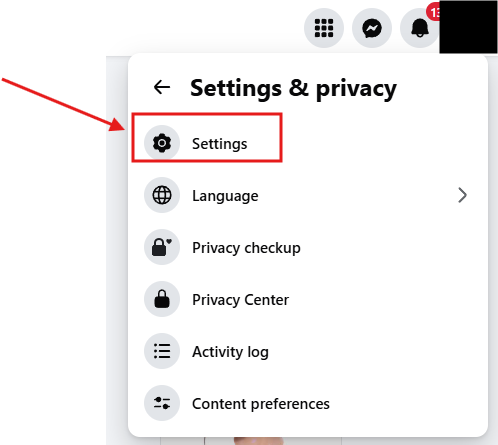
Open to your main Facebook page and then navigate to the Account drop down menu located at the top-right corner and then select Settings & privacy. Then select Settings.
-
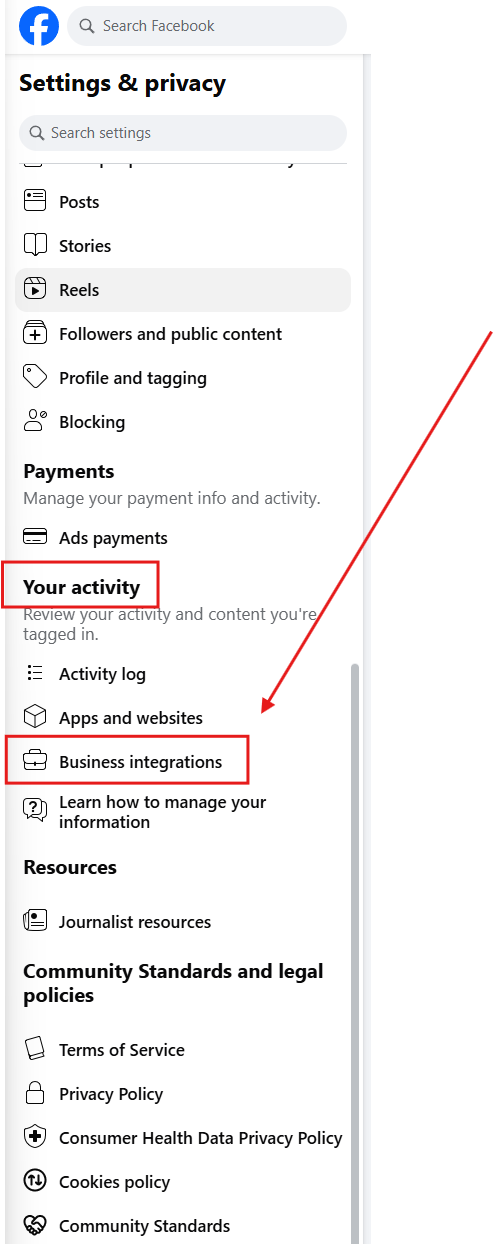
From there, scroll down on the left-hand side of the window until you find Business integrations under the Your Activity section and click on it.
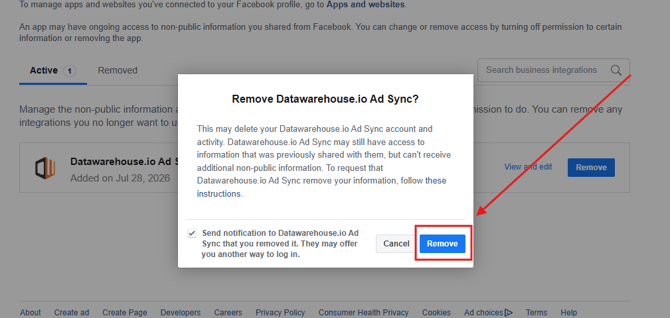
- Once here, locate the Datawarehouse.io app you wish to uninstall and then click on the corresponding Remove button.
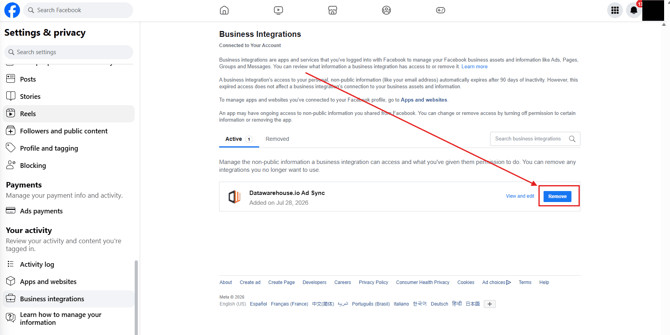
- At which point, simply confirm the removal of the Datawarehouse.io app from your Facebook/Meta account to complete the uninstall process.